Introduction
Refurbished printers have become an attractive option for businesses, printing service providers, schools, offices, and distributors seeking reliable printing equipment at a lower cost than new machines. Compared with purchasing brand-new printers, refurbished models can reduce initial investment while extending the useful life of existing equipment. However, the quality of refurbished printers varies significantly depending on the condition of the original machine, the refurbishment process, the replacement parts used, and the testing procedures performed before resale.
For buyers, one of the most important questions is how refurbished printers are tested for quality and reliability. A professional refurbishment process should involve much more than cleaning the machine and confirming that it powers on. It should include a systematic inspection of mechanical components, electrical systems, printing performance, image quality, paper feeding, connectivity, and long-term operational stability.
For businesses purchasing used or refurbished printers in bulk, quality testing is particularly important. A machine that appears functional during a brief demonstration may still have worn rollers, inconsistent print density, recurring paper jams, or components approaching the end of their service life.
Understanding the testing process helps buyers evaluate suppliers, compare equipment condition, reduce purchasing risks, and make better decisions when sourcing refurbished printers for domestic use or international distribution.
This article explains the major inspection procedures, performance tests, reliability checks, and quality standards that should be considered when purchasing refurbished printers.
Initial Inspection and Equipment History Verification
The first stage of refurbished printer testing is a comprehensive visual inspection combined with an assessment of the machine's available service history.
Technicians examine the printer's exterior housing, control panel, paper trays, output tray, doors, hinges, and connection ports. They look for cracks, broken plastic parts, missing covers, damaged connectors, corrosion, and signs of improper handling.
Cosmetic defects do not necessarily indicate poor printing performance, but structural damage may affect safety, alignment, or long-term operation.
The technician should also identify the printer's manufacturer, model number, serial number, and configuration. For multifunction printers, this includes verifying functions such as printing, copying, scanning, and faxing where applicable.
When available, service records and maintenance information can provide additional insight into the equipment's condition. The technician may review previous error codes, replaced components, maintenance history, and known recurring faults.
Some enterprise printers and copiers provide counters indicating total impressions or other usage information. These counters can help assess equipment utilization, but their interpretation depends on the model and available service documentation. A counter alone cannot establish the overall condition of a machine.
For international buyers, confirming the model configuration is also important. Power requirements, language settings, network interfaces, paper formats, optional accessories, and regional firmware configurations may differ between markets.
A thorough initial inspection helps determine whether the printer is suitable for refurbishment and identifies areas requiring further testing.
Internal Cleaning and Mechanical Inspection
After the initial inspection, the printer is opened and its internal components are examined.
Dust, paper fragments, toner residue, adhesive contamination, and other debris can accumulate inside printers during normal operation. If not removed, these contaminants may interfere with sensors, paper movement, image formation, and cooling.
Professional cleaning typically focuses on the paper path, feed assemblies, internal covers, accessible sensors, and other areas specified in the manufacturer's maintenance procedures.
Compressed air or specialized cleaning tools may be used where appropriate, but technicians should follow equipment-specific procedures to avoid damaging sensitive components or spreading toner contamination.
Inspection of Paper Feeding Components
Paper feeding problems are among the most common issues encountered in used printers.
Technicians inspect pickup rollers, feed rollers, separation pads, registration rollers, and other paper transport components. Worn or contaminated rollers may cause double feeding, skewed paper, misfeeds, or repeated jams.
Paper trays, guides, and lifting mechanisms are also checked to ensure that paper is loaded and positioned correctly.
Where wear is identified, replacement parts should be installed according to the manufacturer's specifications or a documented refurbishment standard.
Inspection of Mechanical Assemblies
Technicians examine gears, drive belts, motors, shafts, and moving assemblies for abnormal noise, excessive wear, or inconsistent movement.
In multifunction printers, the automatic document feeder (ADF), duplex unit, and paper output mechanism should receive additional attention.
Mechanical inspection is important because a printer may produce acceptable output during a short test while still containing components that are close to failure.
Electrical System and Electronic Component Testing
The electrical system controls printer startup, communication, motors, sensors, and image processing. Electrical faults can cause intermittent failures that are difficult to detect through visual inspection alone.
Technicians verify that the printer powers on correctly and completes its initialization process without unexpected shutdowns or persistent error messages.
The power supply, control board, connectors, wiring, fans, and other relevant electrical components may be inspected according to the model's service procedures.
Sensors are tested to confirm that the printer can detect paper presence, paper size, door status, toner or cartridge conditions, and other operating states supported by the machine.
The control panel should respond correctly to user commands. Buttons, touchscreen functions, menus, and status indicators are checked for normal operation.
Firmware and configuration settings may also be reviewed. Where updates or resets are required, they should be performed using appropriate procedures for the specific model.
A reliable refurbished printer should complete startup consistently and report errors accurately. Intermittent faults, unexplained resets, overheating warnings, or persistent sensor errors require further investigation before the machine is approved for sale.
Print Quality Testing
Print quality is one of the most important indicators of refurbished printer performance.
A printer may power on and feed paper correctly but still produce faded text, uneven density, streaks, spots, or distorted images. Therefore, technicians should evaluate output using standardized test documents and, where appropriate, model-specific diagnostic patterns.
1 Text Sharpness and Clarity
Text samples are printed using different font sizes and line weights. Technicians check whether characters appear sharp, readable, and consistently formed.
Small text, fine lines, and detailed graphics can reveal problems that are not obvious on ordinary documents.
2 Print Density and Uniformity
For monochrome printers, the test should include solid black areas, grayscale patterns, and fine text.
Technicians examine whether black areas are sufficiently dense and whether the page shows fading, background shading, repeated marks, or uneven coverage.
For color printers, test pages should include cyan, magenta, yellow, and black elements, as well as mixed-color graphics and neutral gray areas.
Uneven density may indicate issues involving toner delivery, developer systems, imaging units, transfer components, or other model-specific assemblies.
3 Streaks, Spots, and Repeating Defects
Technicians inspect pages for vertical streaks, horizontal lines, toner spots, ghosting, smearing, and recurring marks.
The spacing and appearance of repeating defects can help identify which rotating or imaging component requires further investigation.
For laser printers, potential causes may include the drum unit, fuser, transfer roller or belt, toner cartridge, and contamination inside the paper path.
The technician should identify the cause rather than relying solely on replacing a consumable without confirming the fault.
4 Color Registration and Image Accuracy
Color printers should be tested for alignment between color planes, consistent color output, and acceptable image reproduction.
Misregistration can create colored outlines around text and graphics. Incorrect color balance may indicate calibration problems, consumable issues, or worn imaging components.
Color expectations should reflect the printer's intended application and manufacturer specifications. Office color printers should not automatically be evaluated using the same standards as professional photographic printing systems.
Paper Feeding, Duplexing, and Document Handling Tests
A printer's ability to handle paper consistently is essential for everyday productivity.
During refurbishment testing, technicians should print multiple pages using the supported paper sizes and types appropriate for the machine.
They should verify that the printer draws paper from the selected tray, transports it through the paper path, and delivers finished pages without repeated jams or abnormal skewing.
The following functions should be evaluated where available:
Main paper tray feeding.
Multipurpose tray or bypass feeding.
Automatic duplex printing.
Multiple paper sizes and supported weights.
Output stacking and delivery.
Automatic document feeder operation.
Document scanning and copying.
For multifunction printers, the ADF should be tested using a stack of documents to check feeding consistency, skewing, double feeding, and scanning accuracy.
Duplex printing should be evaluated for reliable paper reversal and correct front-to-back alignment. If the printer supports multiple trays, each tray should be tested independently.
The number of pages used during testing should be sufficient to reveal common feeding problems. A single printed page is not enough to establish reliable paper handling.
Speed, Throughput, and Operational Stability
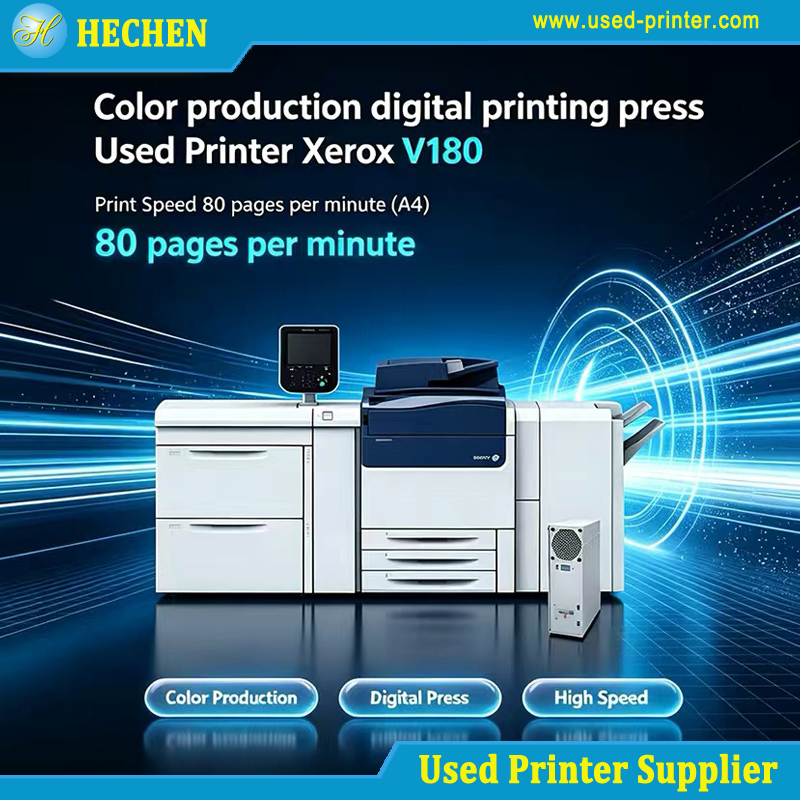
Print speed is another important factor when evaluating refurbished printers, particularly for offices and commercial environments with substantial document volumes.
Manufacturers generally specify print speeds under defined testing conditions. Actual performance varies according to document complexity, resolution, paper size, duplex settings, network conditions, and warm-up time.
Testing should distinguish between initial-page output and sustained printing performance.
Technicians may print a multi-page document and measure the time required to complete the job. They should also check whether the printer maintains a consistent output rate during continuous operation.
For multifunction printers, copying speed and scanning performance should be evaluated separately where relevant.
Operational stability testing involves running repeated print jobs and monitoring the machine for:
Paper jams and feeding interruptions.
Unexpected error messages.
Abnormal noise or vibration.
Overheating or shutdowns.
Print quality deterioration.
Communication failures.
Unusual toner leakage or contamination.
Longer test runs are particularly useful for business-class laser printers and multifunction copiers designed for higher monthly workloads.
However, a short refurbishment test cannot guarantee failure-free operation over the machine's remaining service life. Reliability assessment should combine functional testing, component condition, available service history, and the intended workload.
Testing Network Connectivity and Additional Functions
Modern printers frequently operate as shared network devices rather than standalone machines.
Connectivity testing should confirm that the printer communicates reliably through the interfaces included in its configuration.
Common checks include USB printing, Ethernet connectivity, supported Wi-Fi functions, driver compatibility, and network address configuration where applicable.
Technicians should print test documents from representative computers or compatible test devices. For business equipment, network printing should also be tested under realistic operating conditions.
Security and configuration checks may include reviewing administrative settings, removing previous users' stored information where appropriate, and restoring the printer to an approved configuration.
For multifunction devices, additional testing should cover scanning to supported destinations, copying, duplex scanning, document feeding, and faxing if the relevant hardware and service are available.
Optional features such as finishing units, staplers, booklet makers, and additional paper trays should be tested when included in the sale.
A refurbished printer should be evaluated against the exact configuration promised to the buyer, not simply the base model's advertised capabilities.
Consumables and Replacement Parts Assessment
Consumables have a direct impact on print quality, maintenance costs, and the buyer's initial operating experience.
For laser printers, relevant items may include toner cartridges, imaging drums, developer units, transfer belts, transfer rollers, and fuser assemblies, depending on the design.
Inkjet printers require evaluation of ink cartridges or tanks, printheads, maintenance boxes, and associated ink delivery components.
Technicians should inspect available consumables for leakage, damage, contamination, and remaining usable capacity where this information can be reliably established.
A cartridge's displayed remaining level does not necessarily indicate its complete physical condition, and replacement intervals depend on actual usage and the manufacturer's maintenance requirements.
Worn components should be replaced according to the agreed refurbishment standard. Buyers should also be informed whether the printer is supplied with new, compatible, original, partially used, or otherwise specified consumables.
For international purchasing, the availability and cost of replacement consumables should be evaluated before selecting a model. A low purchase price may be less attractive if compatible supplies are difficult to obtain in the destination market.
Final Quality Control and Documentation
Before a refurbished printer is approved for shipment, it should pass a final quality control inspection.
The final inspection should confirm that identified faults have been corrected, required functions operate properly, and the printer matches the agreed specifications.
A practical quality checklist may include:
Exterior condition and completeness.
Startup and control panel operation.
Internal cleaning and mechanical condition.
Print quality and diagnostic page results.
Paper feeding and duplex operation.
Network and interface functionality.
Consumable condition and accessory verification.
Error-code review and operational stability.
Model, serial number, and configuration confirmation.
Packaging and shipment preparation.
Test records should identify the printer model, serial number, inspection date, completed tests, replaced components, and any limitations disclosed to the buyer.
Where appropriate, photographs of the actual machine and sample test pages can provide additional evidence of its condition.
For bulk orders, buyers may request a documented inspection procedure, agreed acceptance criteria, and a representative pre-shipment inspection before the full shipment is released.
Packaging is also important. Printers and copiers should be secured against movement and impact during transport, with particular attention to trays, doors, moving assemblies, and removable accessories.
How to Choose a Reliable Refurbished Printer Supplier
Selecting a supplier with a transparent refurbishment process can reduce the risk of receiving equipment that does not meet expectations.
Buyers should ask how each machine is inspected, which components are tested, how faults are repaired, and whether test records are available.
It is also important to confirm the printer's actual condition grade, included consumables, optional accessories, supported functions, and warranty terms.
For wholesale and export purchases, additional considerations include available stock, model consistency, spare-parts availability, export packaging, loading arrangements, and the supplier's ability to provide accurate product specifications.
Suppliers should distinguish between a printer that has been cleaned and functionally checked and one that has undergone a more extensive refurbishment process with documented component replacement.
A reliable supplier should explain the testing scope clearly rather than making unsupported claims that every used component has been replaced or that the printer is equivalent to a brand-new machine.
Conclusion
Testing refurbished printers for quality and reliability requires a systematic process covering exterior condition, mechanical assemblies, electrical systems, print quality, paper handling, speed, connectivity, and consumables.
Professional refurbishment should go beyond a basic power-on check. It should identify common failure points, correct detected problems, verify essential functions, and document the results before the machine is sold.
For buyers, understanding these procedures makes it easier to compare suppliers, evaluate equipment condition, and reduce the risks associated with purchasing used printing equipment.
Whether purchasing a single office printer or a shipment of refurbished multifunction copiers, the best approach is to prioritize transparent testing procedures, accurate specifications, documented results, and appropriate after-sales support.
With proper inspection and realistic expectations, refurbished printers can provide a cost-effective printing solution for many business and institutional applications while extending the useful life of existing equipment.
Frequently Asked Questions (FAQ)
Q1: Are refurbished printers tested before being sold?
Professional suppliers should inspect and test refurbished printers before sale. However, the exact procedures vary, so buyers should request a description of the testing process and any available test records.
Q2: What is the most important test for a refurbished printer?
Print quality testing is essential, but it should be combined with paper feeding, mechanical inspection, electrical checks, connectivity testing, and operational stability assessment.
Q3: How long should a refurbished printer be tested?
There is no single duration suitable for every model. Testing should be long enough to evaluate essential functions and reveal common faults, with more extensive testing for machines intended for demanding workloads.
Q4: Can a refurbished printer perform like a new printer?
A properly refurbished machine can provide reliable performance, but its condition and remaining service life depend on usage history, component wear, replacement parts, and maintenance. It should not automatically be assumed to have the same lifespan as a new machine.
Q5: What should buyers request from a refurbished printer supplier?
Buyers should request model and serial number details, condition grading, testing records where available, information about consumables and replaced components, a list of included accessories, and clear warranty terms.
Recommended linking:
How to Choose a Suitable Refurbished Printer for Different Business Uses
Recommend related products: