Introduction
Choosing the right printer is an important decision for businesses of all sizes. Whether you operate a small office, a large corporation, a retail store, a school, or a printing service company, reliable printing equipment is essential for daily operations. However, purchasing brand-new printing equipment can require a significant investment, especially for businesses that need multiple machines or high-performance multifunction printers.
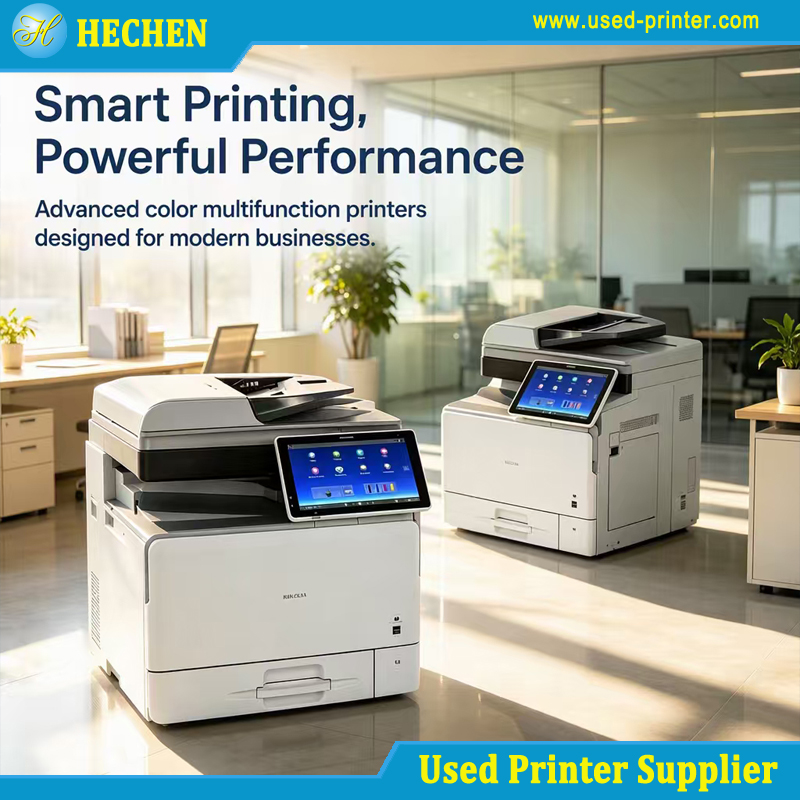
A refurbished printer offers a cost-effective alternative to a new printer. By purchasing professionally refurbished equipment, businesses can reduce their initial investment while obtaining reliable printing performance for many common applications. Refurbished printers are particularly attractive to small and medium-sized enterprises, startups, educational institutions, and companies looking to expand their printing capacity without significantly increasing their equipment budgets.
Nevertheless, not every refurbished printer is suitable for every business. Different workplaces have different requirements for print volume, speed, paper size, color accuracy, document finishing, and maintenance. Selecting a machine based only on its purchase price may lead to unnecessary operating costs or insufficient performance.
This guide explains how to choose a suitable refurbished printer for different business uses, covering essential technical specifications, common business applications, equipment inspection, and long-term operating costs.
1. Understand Your Business Printing Requirements
Before purchasing a refurbished printer, businesses should evaluate their actual printing needs. Understanding how, what, and how often employees print will help narrow down the available models.
1.1 Estimate Monthly Printing Volume
Monthly print volume is one of the most important factors when selecting a refurbished printer. Different printer models are designed to handle different workloads.
For example, a small office that prints approximately 1,000 to 3,000 pages per month may operate efficiently with a compact multifunction printer. A busy administrative department printing tens of thousands of pages monthly may require a commercial-grade machine with a higher recommended monthly duty cycle.
When comparing specifications, distinguish between the manufacturer's maximum monthly duty cycle and the recommended monthly print volume. The maximum duty cycle represents a rated upper limit under specified conditions, not necessarily the ideal workload for continuous everyday operation.
Choosing a printer with sufficient capacity can reduce excessive wear, minimize interruptions, and improve productivity.
1.2 Determine Whether You Need Color or Monochrome Printing
Monochrome printers are generally suitable for businesses that primarily produce text documents, invoices, contracts, shipping labels, and internal reports. They can provide economical black-and-white printing with relatively straightforward maintenance.
Color multifunction printers are more appropriate for marketing materials, business presentations, product catalogs, charts, brochures, and customer-facing documents.
If a business only needs occasional color printing, purchasing a high-capacity color copier may not be the most economical decision. A monochrome refurbished printer combined with a separate color printer could provide better value.
1.3 Identify Required Paper Sizes
Paper size directly affects printer selection.
A4 printers are suitable for ordinary office documents, invoices, letters, and reports. A3 printers support larger documents, including spreadsheets, architectural drawings, posters, technical diagrams, and marketing materials.
Businesses that regularly print large spreadsheets or A3 presentations should prioritize refurbished A3 multifunction printers. However, if most documents are standard A4 pages, an A4 model may offer lower acquisition and operating costs.
It is also important to check supported paper weights, paper tray capacities, bypass tray specifications, and compatibility with specialty media.
2. Choose a Refurbished Printer for Small Offices and Startups
Small offices and startups usually prioritize affordability, ease of use, and dependable everyday performance.
Typical printing tasks include business correspondence, quotations, invoices, contracts, meeting documents, and internal reports.
A refurbished A4 laser printer or compact multifunction printer is often a practical choice for these environments.
Recommended Features
Print speed of approximately 25–40 pages per minute for moderate office workloads.
Automatic duplex printing to reduce paper consumption.
Network and USB connectivity.
Automatic document feeder for scanning or copying multipage documents.
Scanning, copying, and printing functions in one machine.
Readily available toner cartridges and replacement parts.
For a small team, a refurbished multifunction printer can eliminate the need to purchase separate printing, copying, and scanning devices. This reduces equipment costs and saves office space.
Businesses should also consider whether the printer supports secure printing, user authentication, and access controls. These features can be valuable when handling confidential contracts, employee records, or financial documents.
Before purchasing, verify that the machine's network interfaces and supported operating systems are compatible with the company's existing IT environment.
3. Select High-Volume Refurbished Printers for Large Offices
Large offices, corporate headquarters, financial departments, and government organizations often produce substantial quantities of documents every day.
For these applications, printing speed, paper capacity, reliability, and finishing capabilities become more important than the lowest purchase price.
A refurbished A3 monochrome or color multifunction printer may be appropriate for centralized office printing.
Essential Technical Specifications
Print speed: Commercial office printers commonly offer speeds ranging from approximately 40 to 75 pages per minute, depending on the model and configuration. High-volume departments should evaluate actual printing requirements rather than selecting the fastest available machine automatically.
Paper capacity: Multiple paper trays allow employees to switch between paper sizes and types without frequent manual intervention. Optional high-capacity feeders can improve efficiency in busy departments.
Automatic document feeding: A high-capacity automatic document feeder can simplify scanning, copying, and digitizing large document collections.
Finishing options: Stapling, booklet creation, hole punching, and sorting can reduce manual document preparation. These features are especially useful for reports, presentations, training materials, and administrative paperwork.
Monthly workload: Choose a model whose recommended monthly volume accommodates normal demand and predictable peak periods.
For large offices, maintenance history deserves particular attention. Ask the supplier about the machine's previous usage, replaced components, maintenance procedures, and current condition.
A professionally refurbished machine with documented inspection and testing may offer better long-term value than a cheaper machine with an unknown service history.
4. Choose Color Refurbished Printers for Marketing and Creative Businesses
Marketing agencies, design studios, real estate companies, and sales departments frequently produce color documents for customers and business partners.
Their requirements extend beyond basic document printing. Color consistency, image quality, media compatibility, and finishing options can all influence the final result.
A refurbished color laser multifunction printer may be suitable for proposals, presentations, product brochures, charts, promotional materials, and internal marketing documents.
Important Features to Evaluate
Color resolution: Compare the manufacturer's rated print resolution and image-processing capabilities. A higher resolution does not automatically guarantee better output, so examine sample prints whenever possible.
Color consistency: Ask the supplier to test color reproduction and inspect printed images for streaking, uneven density, banding, or other visible defects.
Media handling: Check whether the printer supports the required paper weights, coated paper types, and document sizes. Not every office color copier is designed for professional photographic printing or specialized commercial media.
Print volume: Marketing departments producing large batches of presentations or brochures may benefit from a higher-capacity machine.
Finishing functions: Duplex printing, sorting, stapling, and booklet finishing can streamline the production of professional business documents.
Companies should distinguish between general office color printing and specialized production printing. If accurate brand colors, premium photographic output, or commercial-grade finishing are essential, test the refurbished machine against actual production samples before purchasing.
5. Select Refurbished Printers for Retail, Warehousing, and Logistics
Retailers, warehouses, distributors, and logistics companies use printers for invoices, inventory records, delivery documents, purchase orders, and shipping paperwork.
Their primary requirements are usually operational reliability, quick output, simple maintenance, and compatibility with existing business software.
A refurbished monochrome laser printer can be suitable for invoices, order forms, and administrative documents. A multifunction copier may be more appropriate for distribution centers or offices that process large amounts of paperwork.
However, businesses should distinguish between ordinary document printers and dedicated label printers.
Thermal label printers are often better suited to barcode labels, shipping labels, and product identification. A refurbished office laser printer should not be assumed to support these tasks simply because it can print on different media.
Before purchasing equipment for retail or logistics operations, evaluate:
Compatibility with warehouse management, inventory, or enterprise resource planning systems.
Network connectivity and shared printing capabilities.
Paper tray capacity and continuous printing performance.
Availability of toner, maintenance kits, and replacement components.
Compatibility with the company's required document formats.
For warehouses operating multiple shifts, spare parts availability and access to technical support can be especially important. A printer that is inexpensive to purchase but difficult to repair may create avoidable operational delays.
6. Choose Refurbished A3 Printers for Schools and Educational Institutions
Schools, colleges, training centers, and universities often require printers for teaching materials, examinations, administrative documents, worksheets, and student records.
A refurbished A3 multifunction printer can support a wide range of educational applications while helping institutions control equipment expenditure.
For example, A3 printing is useful for large tables, classroom posters, diagrams, and teaching materials. Automatic duplex printing can reduce paper consumption, while high-capacity paper trays help administrative departments process large batches of documents.
When choosing a refurbished printer for an educational environment, consider the following factors.
First, evaluate the number of students, teachers, and administrative employees who will share the equipment. A machine serving an entire department may require greater capacity than one used by a small office.
Second, check whether the printer supports secure printing or user authentication. These functions can help protect examination papers, personal records, and confidential administrative documents.
Third, examine the total cost of ownership, including toner consumption, maintenance, electricity, and replacement parts.
Finally, prioritize simple operation and accessible technical support. Equipment downtime during examination periods or enrollment seasons can disrupt essential school activities.
7. Understand the Difference Between Refurbished, Used, and Remanufactured Printers
Not all pre-owned printers have undergone the same level of inspection or restoration. Understanding the terminology helps businesses assess supplier claims more accurately.
A used printer is generally equipment that has been previously owned and operated. Depending on the seller, it may receive limited cleaning or basic functional testing before resale.
A refurbished printer has typically undergone some combination of inspection, cleaning, functional testing, adjustment, and component replacement. However, refurbishment standards vary by supplier, so buyers should request a clear description of the actual work performed.
A remanufactured printer generally undergoes a more extensive restoration process. The scope may include substantial component replacement and rebuilding, depending on the manufacturer's or supplier's procedures.
These terms are not always used consistently across the international secondhand equipment market. Therefore, buyers should focus on documented refurbishment procedures rather than relying solely on product labels.
A reliable supplier should be able to explain the machine's condition, testing standards, replaced components, included accessories, and warranty coverage.
8. Inspect Key Technical Specifications Before Buying
Technical specifications help determine whether a refurbished printer can meet a business's requirements.
The following specifications deserve particular attention.
Print Speed
Print speed is commonly expressed in pages per minute (ppm). When comparing models, check whether the quoted figure refers to A4 or Letter paper, black-and-white or color printing, and single-sided or duplex operation.
Actual productivity also depends on warm-up time, image complexity, paper size, and processing requirements.
Monthly Duty Cycle
The maximum monthly duty cycle indicates a rated upper limit under specified conditions. It should not be treated as a guarantee that the printer can sustain that workload continuously.
Compare the recommended monthly print volume with your actual workload to avoid choosing a machine that is too small or unnecessarily expensive.
Memory and Processor
Printer memory and processing capability can affect performance when handling large PDFs, complex graphics, high-resolution documents, or multiple print jobs.
Businesses with demanding document workflows should confirm that the machine's standard configuration is sufficient.
Paper Capacity
Check the standard and maximum paper capacities, the number of trays, supported paper sizes, and whether optional feeders are included in the quoted price.
A machine advertised with an optional high-capacity feeder may have a much smaller standard configuration.
Connectivity and Compatibility
Confirm support for Ethernet, USB, wireless networking where required, and the relevant printing protocols. Verify compatibility with current operating systems and business applications.
Also check whether scanning functions, printer drivers, and management utilities remain available for the specific model.
9. Calculate the Total Cost of Ownership
A low purchase price does not necessarily mean a low operating cost.
Businesses should calculate the total cost of ownership (TCO), which includes the initial purchase price and the costs of operating the printer over its expected service period.
Important cost factors include:
Printer purchase price and transportation.
Toner or other consumables.
Replacement drums, maintenance kits, rollers, and other wear components.
Electricity consumption.
Routine servicing and unexpected repairs.
Installation, configuration, and employee training.
Downtime and the availability of backup equipment.
For example, a refurbished monochrome printer may have a higher initial price than another model but deliver a lower cost per printed page because of its toner yield and maintenance requirements.
Color printers require additional consideration because color consumables and maintenance can increase operating costs.
When comparing quotations, request toner yields based on the applicable industry measurement standard and remember that actual yields vary with page coverage, printing conditions, and usage patterns.
A practical purchasing decision should balance acquisition cost, reliability, consumable availability, and expected workload.
10. How to Evaluate a Refurbished Printer Supplier
Supplier selection is just as important as printer selection, especially when purchasing equipment for export or deploying multiple machines across business locations.
Before placing an order, ask the supplier to provide the following information.
Equipment condition: Confirm whether the printer is fully tested, refurbished, graded, or sold as-is.
Testing procedures: Request details of the functional tests performed, including printing, scanning, copying, duplex operation, paper feeding, and finishing functions where applicable.
Maintenance records: Ask about the available service history, counter readings, replaced parts, and known defects.
Consumables and accessories: Confirm whether toner cartridges, power cables, document feeders, output trays, and optional finishing units are included.
Warranty and after-sales support: Clarify the warranty period, covered components, exclusions, and the procedure for reporting technical problems.
Packaging and shipping: For international orders, confirm protective packaging, shipment arrangements, spare parts availability, and the handling of transit damage.
Buyers should also request sample output, photographs of the actual equipment, and a detailed quotation identifying the precise model and configuration.
For bulk purchases, it is advisable to establish consistent testing and acceptance criteria for every unit.
Conclusion
Choosing a suitable refurbished printer requires more than comparing brands or purchase prices. Businesses must evaluate printing volume, document types, paper sizes, color requirements, connectivity, maintenance needs, and long-term operating costs.
Small offices may benefit from compact A4 multifunction printers, while large corporations may require high-speed commercial machines with substantial paper capacity and finishing options. Marketing departments often need reliable color output, whereas schools, warehouses, and logistics companies should prioritize workload suitability, operational efficiency, and compatibility with their existing systems.
The most effective approach is to define business requirements first, compare technical specifications carefully, calculate the total cost of ownership, and purchase from a supplier that provides transparent refurbishment information and dependable after-sales support.
With proper selection and inspection, a refurbished printer can be a practical investment that helps businesses control costs, maintain productivity, and expand their document-processing capabilities without the expense of purchasing entirely new equipment.
Recommend related products: